Last time, we completed the new mini game Fizhy Zen, which is available in the Google Play Store for Android and Apple App Store for iOS as a standalone game. Today we want to port it over to our main project GameMaster as a third mini game.
Posts mit dem Label unity werden angezeigt. Alle Posts anzeigen
Dienstag, 13. August 2019
Teil 19: Porting Fizhy over to GameMaster & AI
Labels:
3ds,
ai,
artificialIntelligence,
dev,
devlopment,
englisch,
english,
fizhy,
fizhyzen,
game,
gamedev,
indiedev,
indiegamedev,
nintendo,
planet3ds,
planetswitch,
switch,
unity
Teil 19: Fizhy in GameMaster einbauen & KI
Das letzte Mal haben wir mit Fizhy Zen ein neues Minispiel fertiggestellt, welches alleinstehend im Google Play Store für Android und Apple App Store für iOS verfügbar ist. Heute wollen wir dieses Spiel als drittes Minispiel in unser Hauptprojekt GameMaster portieren.
Labels:
3ds,
deutsch,
entwicklung,
fizhy,
fizhyzen,
game,
german,
KI,
KünstlicheIntelligenz,
nintendo,
planet3ds,
planetswitch,
Spielentwicklung,
switch,
unity
Sonntag, 12. Mai 2019
Part 18: Fizhy
It's time for a new game! Let’s tackle the third mini game! It's a remake of the first game I've released to the public in the app stores of Apple and Google - Fizhy. It is a puzzle game based on the principle of the Nintendo classic Dr. Mario.
Labels:
3ds,
dev,
devlopment,
englisch,
english,
fizhy,
fizhyzen,
game,
gamedev,
indiedev,
indiegamedev,
nintendo,
planet3ds,
planetswitch,
switch,
unity
Teil 18: Fizhy
Es wird Zeit für etwas Spiele-Nachwuchs! Das dritte Minispiel steht auf der Matte! Es handelt sich um ein Remake des ersten Spieles, welches ich für die Öffentlichkeit in den App Stores von Apple und Google publiziert habe: Fizhy. Es ist ein Puzzlespiel welches dem Prinzip des Nintendo Klassikers Dr. Mario folgt.
Part 17: Statistics
Labels:
3ds,
dev,
devlopment,
englisch,
english,
game,
gamedev,
indiedev,
indiegamedev,
nintendo,
planet3ds,
planetswitch,
porting,
statistics,
switch,
unity
Samstag, 5. Januar 2019
Part 16: Integrating the cardgame Pairs into GameMaster for Nintendo Switch & 3DS
Last time, we implemented a new game where you have to find pairs of cards. We built it as an independent project and published it as a separate game. Now we want to add this to our GameMaster project as a second mini game... more
Teil 16: Einbauen des Kartenspiels Pairs in GameMaster für die Nintendo Switch & 3DS
Letztes Mal haben wir ein neues Spiel implementiert, bei dem es Aufgabe ist, Kartenpaare zu finden. Dieses haben wir in einem unabhängigen Projekt umgesetzt und als eigenständiges Spiel veröffentlicht. Jetzt wollen wir dieses als zweites Minispiel in unser GameMaster Projekt einbauen... mehr
Labels:
3ds,
deutsch,
entwicklung,
game,
german,
Karte,
Karten,
Kartenspiel,
memory,
nintendo,
pairs,
planet3ds,
planetswitch,
portieren,
Spielentwicklung,
Spielkarten,
switch,
unity
Samstag, 1. Dezember 2018
Part 15: Find pairs of cards in Pairs
Today we make an exception and implement a new little game independent of GameMaster which we will build into our main game later. It is a ”Pairs” (or “Concentration”)variant, where you have to find pairs of cards. The player has a set of face-down cards in front of themselves with each of the cards is presented twice. They flip two cards over per turn, hoping to find a matching pair... Read more
Teil 15: Finde Kartenpaare in Pairs
Heute machen wir eine Ausnahme und implementieren ein neues kleines Spiel, unabhängig von GameMaster, welches wir später in unser Hauptspiel einbauen. Es handelt sich dabei um eine „Pairs“-Variante, bei der man versuchen muss, Kartenpaare zu finden. Der Spieler hat eine Menge von verdeckten Karten vor sich, von denen jede zweimal vorhanden ist. Pro Zug dreht er zwei Karten um und hofft so, ein Paar mit gleichem Motiv zu finden... Lese mehr
Labels:
3ds,
Android,
deutsch,
entwicklung,
game,
german,
iOS,
Karte,
Karten,
Kartenspiel,
memory,
mobilegame,
nintendo,
pairs,
planet3ds,
planetswitch,
Spielentwicklung,
Spielkarten,
switch,
unity
Dienstag, 30. Oktober 2018
Part 14: Support for Android and iOS
Today we want to make sure that our game will work on mobile devices. More specifically, it’s about devices which offer only touch controls. Most people now may think of their mobile phone or tablet, most of which are running Android or iOS, so I chose today's title because of this. In general, this also applies to Windows Phone or devices that can be operated at least optionally without buttons and controllers, such as laptops with touchscreens or even the Nintendo Switch. Read more
Labels:
3ds,
Android,
controls,
dev,
devlopment,
englisch,
english,
game,
gamedev,
iOS,
mobile,
mobilegame,
nintendo,
phone,
planet3ds,
planetswitch,
switch,
touch,
touchscreen,
unity
Teil 14: Unterstützung für Android und iOS
Heute wollen wir uns darum kümmern, dass unser Spiel auch auf mobilen Geräten funktionsfähig wird. Genauer gesagt geht es zunächst mal um Geräte, welche nur eine Touch-Steuerung anbieten. Die meisten denken nun sicher an ihr Handy oder Tablet, unter denen zum größten Teil Android und iOS vertreten sind, daher habe ich auch den heutigen Titel so gewählt. Im Allgemeinen gilt dies aber auch für Windows Phone oder für Geräte, die zumindest wahlweise ohne Tasten und Controller bedient werden können, wie Laptops mit Touchscreen oder gar die Nintendo Switch. Lese mehr
Labels:
3ds,
Android,
deutsch,
entwicklung,
game,
german,
iOS,
mobile,
mobilegame,
nintendo,
phone,
planet3ds,
planetswitch,
Spielentwicklung,
Steuerung,
switch,
touch,
touchscreen,
touchsteuerung,
unity
Montag, 11. Juni 2018
Part 13: Companion Pet
Today we want to make sure that our player does not feel so lonely. To accomplish this, we create a retro companion. Today’s youth may not even be familiar with it anymore but we’re going to implement a variant of the virtual pet Tamagotchi, which was released in 1996 by Bandai. (more...)
Labels:
3ds,
bandai,
companion,
dev,
development,
englisch,
english,
game,
nintendo,
pet,
planet3ds,
planetswitch,
switch,
tamagotchi,
unity
Freitag, 27. April 2018
Part 12: Network Gaming
Today we dare to tackle a huge topic: Multiplayer via network connection.
This concerns games locally via WiFi with the 3DS, in the LAN (on the PC)
and over the internet (on the PC)...
Labels:
3ds,
coop,
dev,
development,
englisch,
english,
game,
multiplayer,
network,
networkgaming,
nintendo,
planet3ds,
planetswitch,
switch,
unity
Dienstag, 17. April 2018
Part 11: Day and weather change
This time we want to bring some change into the dreary digital everyday life on our overworld. There might be no strategic advantage to start with it so early in development, unlike most things that have been implemented so far, but a developer does not want to work with the same monotonous landscape when testing all the time. That's why I decided to spice the whole thing up a little by the changing of days and weather. This includes changes in the weather such as sunshine, rainy weather and snowstorms, appropriate lighting conditions and day and night changing...
Donnerstag, 20. Juli 2017
Developer Diary Part 10: Achievements & Notifications
Labels:
3ds,
achievements,
dev,
development,
englisch,
english,
game,
gui,
menus,
nintendo,
notifications,
planet3ds,
planetswitch,
switch,
ui,
unity
Donnerstag, 8. Juni 2017
Developer Diary Part 9: Skill tree & Menus
Montag, 15. Mai 2017
Developer Diary Part 8: Saving & Loading
Montag, 13. Juli 2015
Die Entwicklungsumgebung
Wir wollen ein Spiel programmieren, doch mit was?
Diese Entscheidung hängt von vielen Faktoren ab. Da ich das ganze als Hobby bzw. in meinem Nebengewerbe angehe, ist für mich der wichtigste Faktor die Zeit, denn an der mangelt es mir. Damit schließe ich schon mal aus, dass ich absolut bei 0 anfangen könnte - eine Spiele-Engine bzw. eine passende Entwicklungsumgebung muss her.
Eine solche Entwicklungsumgebung, die direkt für die Spieleentwicklung erstellt wurde, beinhaltet in der Regel bereits eine Spiele-Engine mit vielen nützlichen Funktionen.
Vorweg - Meine Entscheidung fiel auf GameMaker: Studio, es gibt aber auch einige Alternativen:
Siehe Liste von Spiele-Engines.
Im Folgenden möchte ich ein paar dieser Entwicklungsumgebungen vorstellen, mit ein wenigen Stichworten der jeweiligen Firmen selbst:
Dies ist eine Auswahl die darauf basiert, welche Programme mir am häufigsten begegnet sind, bzw. mir am bekanntesten scheinen. Ich möchte also nicht behaupten diese seien die besten.
Auch die Stichpunkte wurden halbwegs willkürlich gewählt, d.h. wenn ein Punkt bei einer Entwicklungsumgebung fehlt, den eine andere hat, bedeutet dies nicht, dass dieser Umgebung die jeweilige Funktion fehlt.
Welche Entwicklungsumgebung für euch die richtige ist, müsst ihr selbst abwägen. Wie bereits erwähnt fiel meine Entscheidung auf den GameMaker, aus folgenden Gründen:
Auch kann ich Unity und GameMaker beide für Anfänger empfehlen, da sich im Internet unzählige Tutorials und Lernmaterial finden lässt.
Diese Entscheidung hängt von vielen Faktoren ab. Da ich das ganze als Hobby bzw. in meinem Nebengewerbe angehe, ist für mich der wichtigste Faktor die Zeit, denn an der mangelt es mir. Damit schließe ich schon mal aus, dass ich absolut bei 0 anfangen könnte - eine Spiele-Engine bzw. eine passende Entwicklungsumgebung muss her.
Eine solche Entwicklungsumgebung, die direkt für die Spieleentwicklung erstellt wurde, beinhaltet in der Regel bereits eine Spiele-Engine mit vielen nützlichen Funktionen.
Vorweg - Meine Entscheidung fiel auf GameMaker: Studio, es gibt aber auch einige Alternativen:
Siehe Liste von Spiele-Engines.
Im Folgenden möchte ich ein paar dieser Entwicklungsumgebungen vorstellen, mit ein wenigen Stichworten der jeweiligen Firmen selbst:
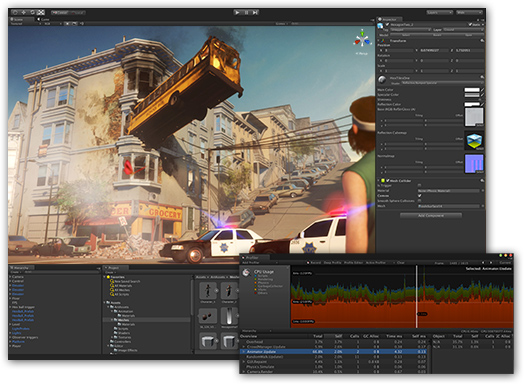
Unity
Feature-rich and highly flexible editor
- 22 platforms
- Uniquely extendible tool
- Create highly-optimized content
- Amazing visual fidelity, rendering power and ambience
- Rapid iteration
- Retargetable animations
- Full control of animation weights at runtime
- Enlighten-powered Real-time Global Illumination
- Physically-based shading
- Audio: Real-time mixing and mastering
- 2D and 3D Physics - Box2D, NVIDIA® PhysX® 3.3
- Scripting: C#, JavaScript or Boo
- Version control: Perforce and Plastic SCM
Unreal Engine
- DirectX 11 & 12 Rendering Features
- Cascade Visual Effects
- New Material Pipeline
- Blueprint Visual Scripting
- Live Blueprint Debugging
- Content Browser
- Persona Animation
- Matinee Cinematics
- Terrain & Foliage
- Post-Process Effects
- Full Source Code Access
- Professional Source Control
- C++ Code View
- Hot Reload Function
- Simulate & Immersive Views
- Instant Game Preview
- Possess & Eject Features
- Artificial Intelligence
- Audio
- Leading Middleware Integrations
GameMaker: Studio
14+ platforms
- Asset Workflow: Shaders, Sprites, Sounds, Fonts
- Scripting: Script Editor, built-in scripting language
- real-world physics: Box2D
- Networking
- multichannel three dimensional positional audio utilising
- Several compilers
- Monetize, Analyse, Social media, Game Services
- Source Control: SVN, CVS or Git
RPG Maker
Enhanced map editor
- Character/Enemy/Skill/Equipment Database
- Built-in Character Generator
- Cof graphics, with 4 tilesets and collapsed character sprites
- Shadow tool
- Own scripting: RGSS3, based on Ruby 1.9.2
- Windows only
Construct 2
- HTML5 2D games
- Quick & Easy
- Flexible Behaviors as pre-packaged functions
- Instant Preview without compiling
- Blend modes, effects and particle system
- Over 70 WebGL-based pixel shader
- Multiplatform Export
- Easy Extensibility
Dies ist eine Auswahl die darauf basiert, welche Programme mir am häufigsten begegnet sind, bzw. mir am bekanntesten scheinen. Ich möchte also nicht behaupten diese seien die besten.
Auch die Stichpunkte wurden halbwegs willkürlich gewählt, d.h. wenn ein Punkt bei einer Entwicklungsumgebung fehlt, den eine andere hat, bedeutet dies nicht, dass dieser Umgebung die jeweilige Funktion fehlt.
Welche Entwicklungsumgebung für euch die richtige ist, müsst ihr selbst abwägen. Wie bereits erwähnt fiel meine Entscheidung auf den GameMaker, aus folgenden Gründen:
- Ich besitze bereits Lizenzen für die kommerzielle Nutzung für die iOS und Android Module.
- Ich habe bereits seit 2008 mit älteren Versionen des GameMakers gearbeitet und habe viel Erfahrung angesammelt, wodurch sich Zeit sparen lässt.
- Ich habe bereits andere Projekte damit erstellt, wobei ich vor allem im letzten viel Aufwand in Wiederverwertbarkeit investiert habe und dies somit weiter nutzen kann.
Auch kann ich Unity und GameMaker beide für Anfänger empfehlen, da sich im Internet unzählige Tutorials und Lernmaterial finden lässt.
In meinen folgenden Posts werde ich demnach gezielt auf GameMaker abhängige Aspekte und Umsetzungen eingehen, die bei anderen Entwicklungsumgebungen ganz anders angegangen würden. Trotzdem werde ich mich auf das Vorgehen allgemein konzentrieren, so dass es auch ohne Nutzung des GameMakers ein lehrreicher und informativer Blog wird.
Wer sich noch immer nicht entscheiden kann, dem empfehle ich einfach ein paar der genannten (oder anderen) Programme zu testen und ein oder zwei Anfänger Tutorials durchzuarbeiten, um sich einen angemessenen Eindruck zu verschaffen.
The development environment
We wish to program a game, but with what?
This decision will depend on many factors. As I approach this as a hobby or my side business the most important factor is the time I have. By that I rule out that I could start with absolutely nothing - a game engine or an appropriate development environment must be found.
Such a development environment that was created for the games development, already usually involves a game engine with many useful features.
Anticipation - My decision was GameMaker: Studio, but there are some alternatives:
See list of game engines.
Below I would like to present a few of these development environments, with a few keywords of the respective companies themselves:
This decision will depend on many factors. As I approach this as a hobby or my side business the most important factor is the time I have. By that I rule out that I could start with absolutely nothing - a game engine or an appropriate development environment must be found.
Such a development environment that was created for the games development, already usually involves a game engine with many useful features.
Anticipation - My decision was GameMaker: Studio, but there are some alternatives:
See list of game engines.
Below I would like to present a few of these development environments, with a few keywords of the respective companies themselves:
Unity
Feature-rich and highly flexible editor
- 22 platforms
- Uniquely extendible tool
- Create highly-optimized content
- Amazing visual fidelity, rendering power and ambience
- Rapid iteration
- Retargetable animations
- Full control of animation weights at runtime
- Enlighten-powered Real-time Global Illumination
- Physically-based shading
- Audio: Real-time mixing and mastering
- 2D and 3D Physics - Box2D, NVIDIA® PhysX® 3.3
- Scripting: C#, JavaScript or Boo
- Version control: Perforce and Plastic SCM
Unreal Engine
- DirectX 11 & 12 Rendering Features
- Cascade Visual Effects
- New Material Pipeline
- Blueprint Visual Scripting
- Live Blueprint Debugging
- Content Browser
- Persona Animation
- Matinee Cinematics
- Terrain & Foliage
- Post-Process Effects
- Full Source Code Access
- Professional Source Control
- C++ Code View
- Hot Reload Function
- Simulate & Immersive Views
- Instant Game Preview
- Possess & Eject Features
- Artificial Intelligence
- Audio
- Leading Middleware Integrations
GameMaker: Studio
14+ platforms
- Asset Workflow: Shaders, Sprites, Sounds, Fonts
- Scripting: Script Editor, built-in scripting language
- real-world physics: Box2D
- Networking
- multichannel three dimensional positional audio utilising
- Several compilers
- Monetize, Analyse, Social media, Game Services
- Source Control: SVN, CVS or Git
RPG Maker
Enhanced map editor
- Character/Enemy/Skill/Equipment Database
- Built-in Character Generator
- Cof graphics, with 4 tilesets and collapsed character sprites
- Shadow tool
- Own scripting: RGSS3, based on Ruby 1.9.2
- Windows only
Construct 2
- HTML5 2D games
- Quick & Easy
- Flexible Behaviors as pre-packaged functions
- Instant Preview without compiling
- Blend modes, effects and particle system
- Over 70 WebGL-based pixel shader
- Multiplatform Export
- Easy Extensibility
This is a selection which is based on what programs I have encountered most often, or seem to me the best known. So I would not say these are the best.
The key points were selected randomly halfway, ie when an item is missing from a development environment, this does not mean that this environment is missing the function.
Which development environment for you is the right one, you have to choose for yourself. As already mentioned my decision fell on GameMaker, for the following reasons:
- I already have licenses for the commercial use of the iOS and Android modules.
- I have been working since 2008 with older versions of Game Maker and have accumulated a lot of experience, which could save time.
- I have already created other projects with it, in which I have invested much effort in reusability, especially in the last project.
If I had to start completely from scratch, however, my choice would probably fall on Unity3D. This program came to me earlier out of the question because it was very expensive. But the payment model has changed: You pay only after a certain amount that you have achieved through Unity as income.
Also I can recommend both, Unity and GameMaker, for beginners as it is easy to find countless tutorials and learning material on the Internet.
In my next posts I will therefore respond specifically to GameMaker dependent aspects and reactions which would be handled very differently in other development environments. Nevertheless, I am going to focus on the general approach, making it a more instructive and informative blog also without the use of GameMaker.
Those who still can not decide, I recommend just to try a few of these (or other) programs and work through one or two beginner tutorials to get a reasonable impression.
Abonnieren
Posts (Atom)