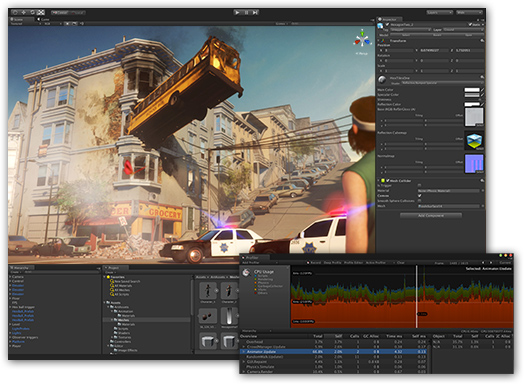
Now I would like to provide an easy entry for beginners and other interested parties to this IDE (Integrated Development Environment) by listing a few sources of information and tips and explaining the basics.
Official GameMaker: Studio site
- GameMaker: Studio
Here, the software can be obtained - YoYoGames | Tech Blog
Official blog on various topics to GameMaker - YoYoGames | Marketplace
Official Market Place for purchase of resources, engines and more. (Also free of charge)
Communities:
- GameMaker Community: Official forum of Yoyogames http://gmc.yoyogames.com
(My profile: BadToxic - I'm not active here.) - gm-d.de the german GameMaker Community http://www.gm-d.de/wbb
(My profile: BadToxic) - GameMaker at Reddit https://www.reddit.com/r/gamemaker
(My profile: BadToxic - not active here either.)
Documentation:
- http://docs.yoyogames.com
(Is also included in GameMaker itself - see help) - http://gamemaker.info/de/manual
German translation of GameMaker 6.1 manual (deprecated)
Resources:
- Refer to the Post Game development resources for resources of all kinds (graphics, sounds, scripts, ...)
The various versions of GameMaker: Studio
and Supported Platforms
Here we see the different versions of GameMaker: Studio and the various modules for additional platform support. This table I have simply taken over from the official GameMaker page.[http://www.yoyogames.com/studio, 09/28/2015]
| Feature | Standard | Professional | Master Collection |
|---|---|---|---|
| Price | Free | $149.99 | $799.99 |
| Registration Required |
√
|
||
| Made with GameMaker Splash Screen in game |
√
| ||
Unlimited resources
|
√
|
√
|
√
|
| Texture Management |
√
|
√
| |
| Multiple Configurations |
√
|
√
| |
| Team Features |
√
|
√
| |
| Developer Services Portal (DSP) |
√
|
√
| |
| Mobile Testing (Android) |
√
|
√
| |
| GameMaker: Player Export |
√
|
√
|
√
|
| Windows Desktop Module |
√
|
√
|
√
|
| Windows Desktop Module + YoYo Compiler + Export |
√
|
√
| |
| Windows App Module + YoYo Compiler + Export |
√
|
√
| |
| Mac OS X Module + Export |
√
|
√
| |
| Ubuntu Linux Module + Export |
√
|
√
| |
| HTML5 Module + Export |
+$199.99
|
√
| |
| Android Module + YoYo Compiler + Export – x86, ARM, MIPS |
+$299.99
|
√
| |
| iOS Module + YoYo Compiler + Export |
+$299.99
|
√
| |
| Windows Phone 8 Module + YoYo Compiler + Export |
+$299.99
|
√
| |
| Tizen Module + Export |
+$199.99
|
√
| |
| Xbox® One Module + YoYo Compiler + Export |
+$299.99
|
√
| |
| PlayStation® 4 Module + YoYo Compiler + Export |
+$299.99
|
||
| PlayStation® Vita Module + YoYo Compiler + Export |
+$299.99
|
√
| |
| PlayStation® 3 Module + YoYo Compiler + Export |
+$299.99
|
√
| |
| Includes all current & future modules in version 1.x |
√
|
Basics of using GameMaker: Studio

Here we see the GUI (graphical user interface) of Game Maker IDE. On the left is a column with all resource types that can be used. These include:
- Sprites (images that can be drawn)
- Sounds (audio files for sound effects and background music)
- Backgrounds (graphics for backgrounds)
- Paths (predefined movements)
- Scripts (code scripts: corresponds methods / functions)
- Fonts
- Timelines (predefined timings)
- Objects (objects from which instances can be created)
- Rooms (rooms / levels / maps)
- Included Files (files integrated into the game)
- Extensions (extensions for several platforms: JAR, DLL, ...)
- Macros (constants and snippets)
- Global Game Settings (settings for all platforms)
How does it start?These instructions have been starting from GameMaker: Studio is written in latest version.
- At the very first, when a new project is created, a room is required.
-> Right click on the Rooms folder - Create Room.
(Now the "game" could already be started, but we would only get a blank window.) - We need to create an object with which something should be done.
-> Right click on the Objects folder - Create Object.
-> Let's call it obj_hello. - Now we open (if not already open) the newly created room by double-clicking on its name, jump into the Objects tab, and click right into the room to place the object obj_hello.
- In the created object (double-click on obj_hello in resource tree, if not already open) we create a new event:-> Add Event - Draw - Draw
- Here we use drag'n'drop to move the tile with the big A (Draw Text) from the right (in the draw tab) into the Actions list.
- We open this newly created command Draw Text by double click (also opens on its own after the pull-in) and write "Hello World" in the text field "text:" and click OK.
- With one click on the green arrow in the top menu (Run the game) of the IDE, we now start our "game" and see - a Hello World Program is "written".
What happens next?
Now you should have a first impression of how the GameMaker is constructed and works roughly:
- You can drag objects into an editor and arrange as desired.
- These objects function event oriented. For example, you can respond to:"Instance created," "instance clicked", "instance deleted", "instance1 collides with instance2" ...
- And to these events you can drag instructions into, which will be triggered in turn, or only under certain conditions. It is also possible to drag a "piece of paper" and to write everything yourself (me as an experienced programmer wouldn't do it the other way).
Of course, there are countless ways that I have not indicated at all. If you feel like you want more, you can look for tutorials in the mentioned communities, on YouTube, or in other sources, or simply experiment yourself.
GameMaker itself also provides a small selection of tutorials and demos directly.
Important tip: If you are still inexperienced, you should definitely start with a project that is as small as possible! Even the idea to start a complex game, such as an RPG, keep it short and expand it later, probably suggests the wrong way.
Your way of programming and implementing things will constantly change and improve. You will eventually notice how inefficient or opaque your old code is and would like to do everything from scratch... It is extremely demotivating if you start something, but never brings to an end...
In my next post I want to share a little game with source code with you, so you can look at everything in peace and understand it. It is a short held replica of a very old but still often played game that everyone knows. ;)
The source code is well commented in English, but not necessarily addressed to beginners. But so you have the opportunity to see how something can be done the "professional" way